

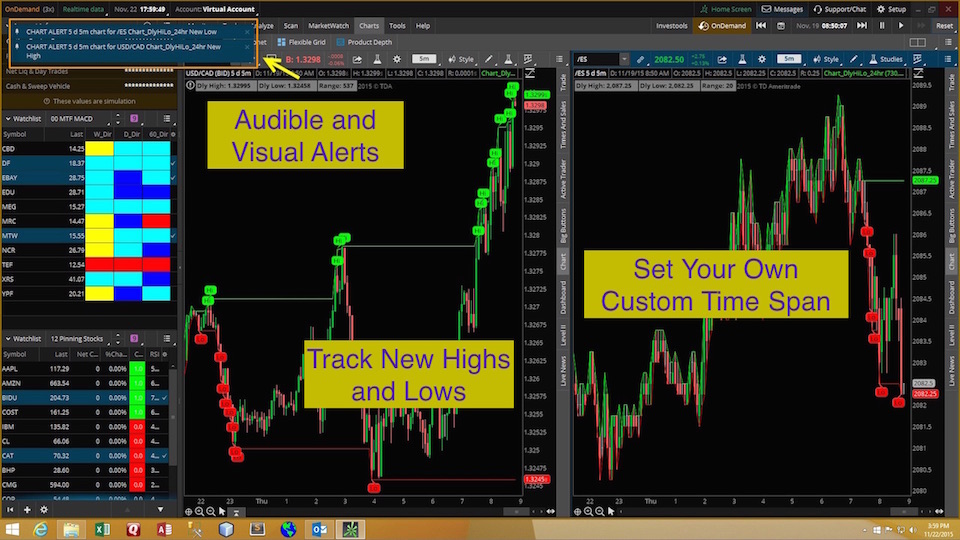
Thanks for watching the video. Please click the link below to download the custom study file to your hard drive. After downloading, you can import the file directly into your Thinkorswim platform.
For those who are not familiar with how to work with STUDY.ts files I have included some step-by-step instructions below:
These instructions show the process from the perspective of Windows 8/10. Windows 11 is similar. If you are using a Mac these instructions should be sufficient to guide you through the process. If you are on a Mac and need specific instructions just drop us a note in the comments section at the bottom of this page.
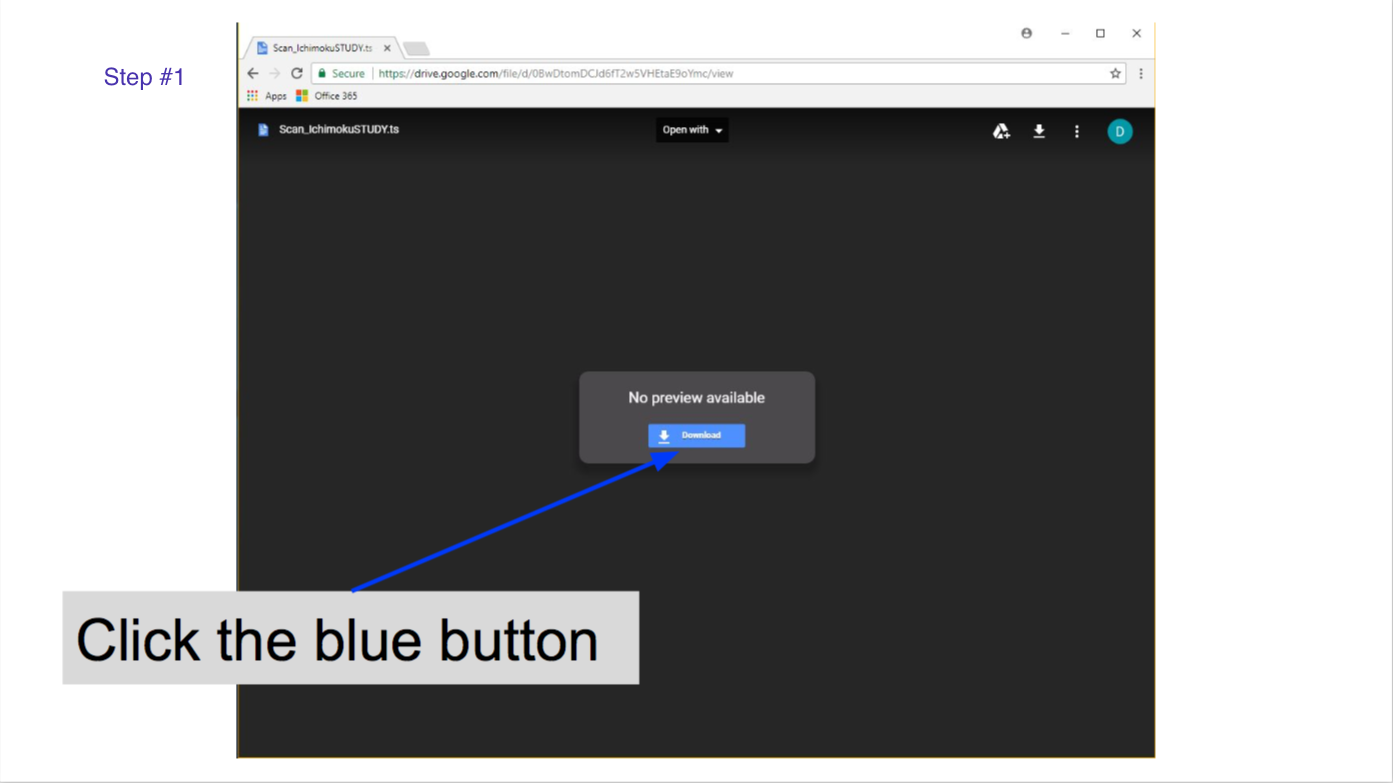
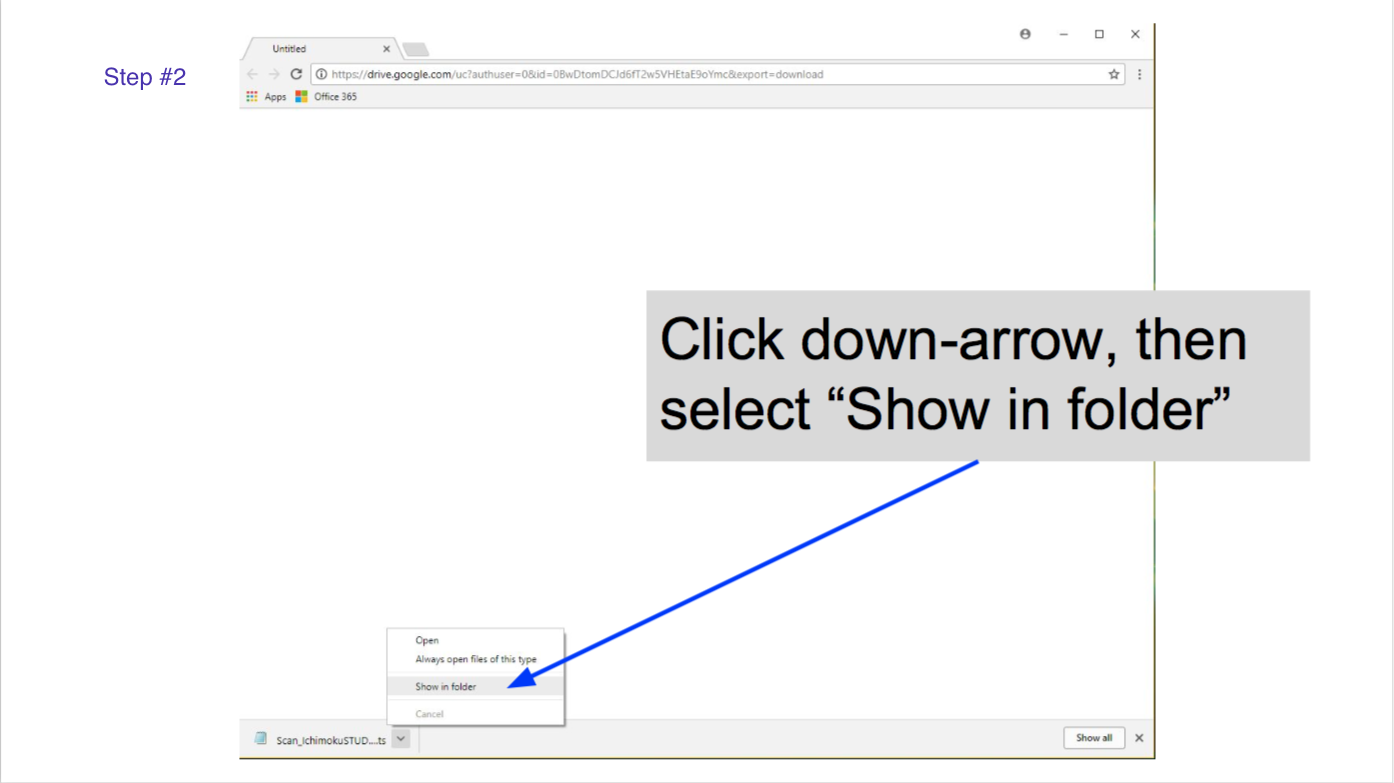
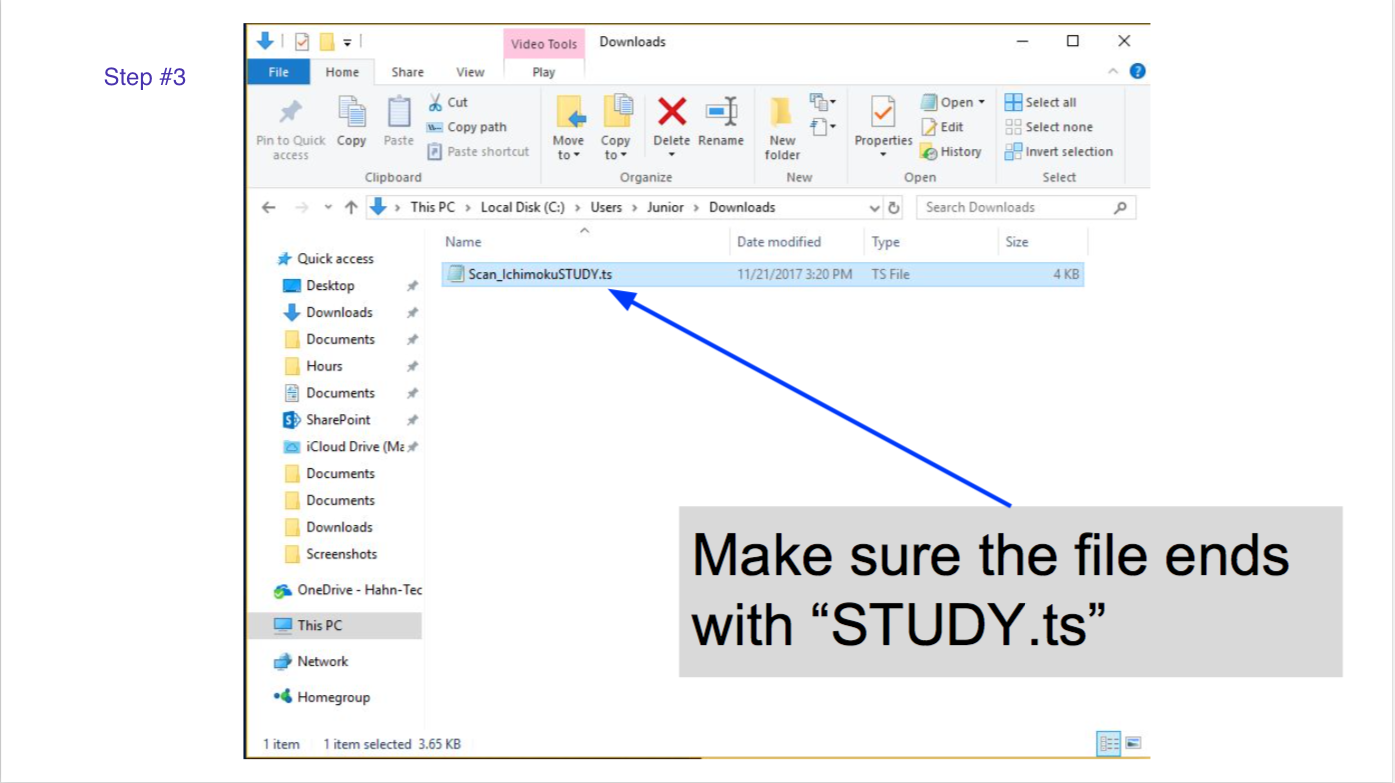
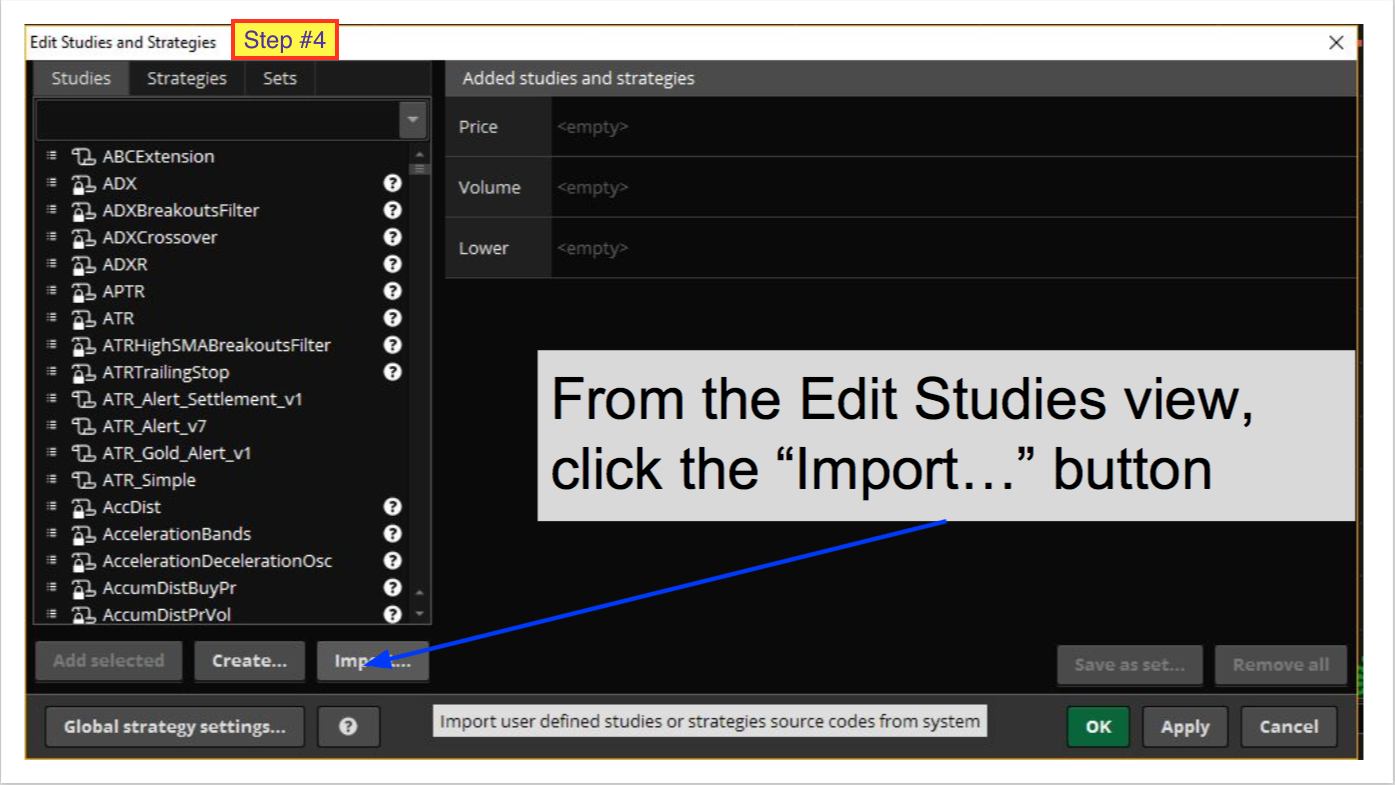
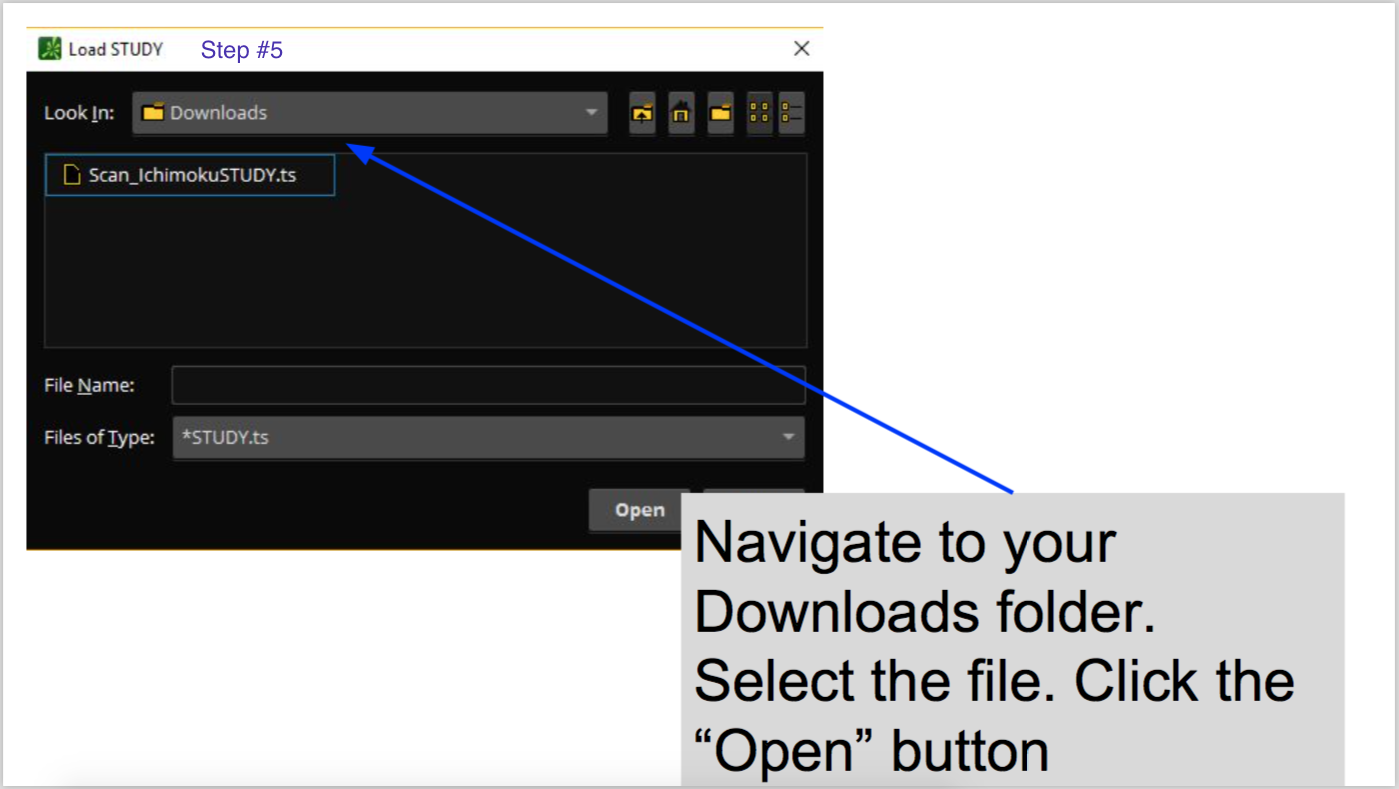
If you would like to down a PDF version of these instructions just click the link below:
my mac requires parallels desktop, is there a way around it ?
I use a Mac myself. So I can confirm you do NOT need Parallels desktop to download this file and import it into Thinkorswim.
If you are getting some sort of notification that conflicts with what I just said, you need to go back and view the instructions provided on this very webpage.
You missed a very fundamental step in the process.
How do I do this on my Mac ?
Same exact steps. Click to download the file to your downloads folder. Import the downloaded file into Thinkorswim. The screen may look a little different but the steps are exactly the same.
Would this work as well for TOS on our mobile phones?
I’m pretty sure it will plot on the charts in the mobile app. But not sure if the chart bubbles will work. Give it a try. Whatever is not supported on the mobile app won’t work. Free to download so add it to your account and give it a try.
Is it possible to create a scanner to alert you once a stock High or Low bubble pops up on a daily or hourly chart? If so can it be created in a URL that we can simply copy and paste in “open shared item”? Willing to compensate if possible. Thanks.
I suggest you spend some time browsing existing solutions in our Q&A Forum. That’s the best place to find answer to this type of question and the best place to ask this question if find it has not already been covered. https://www.hahn-tech.com/thinkorswim-forum-topics/