| ♥ 0 |
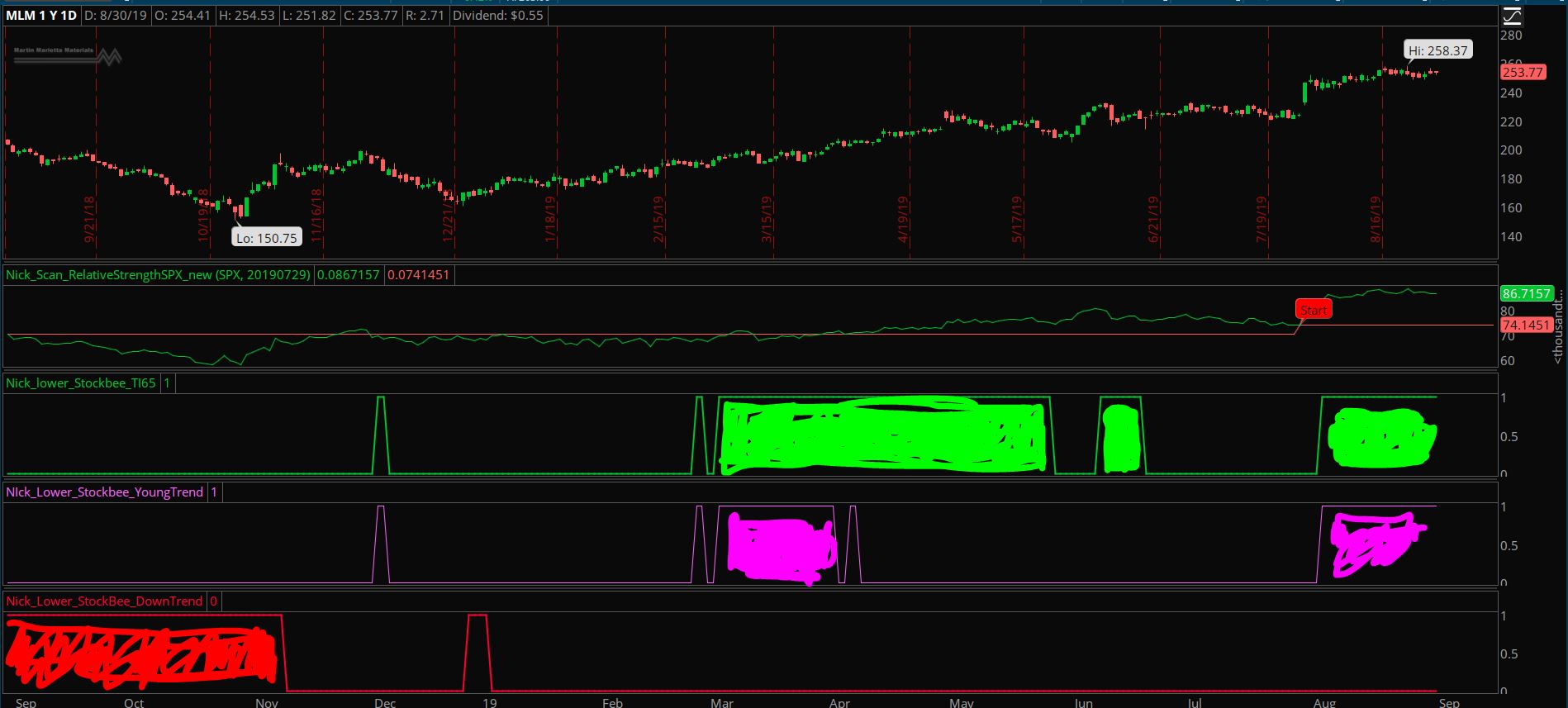
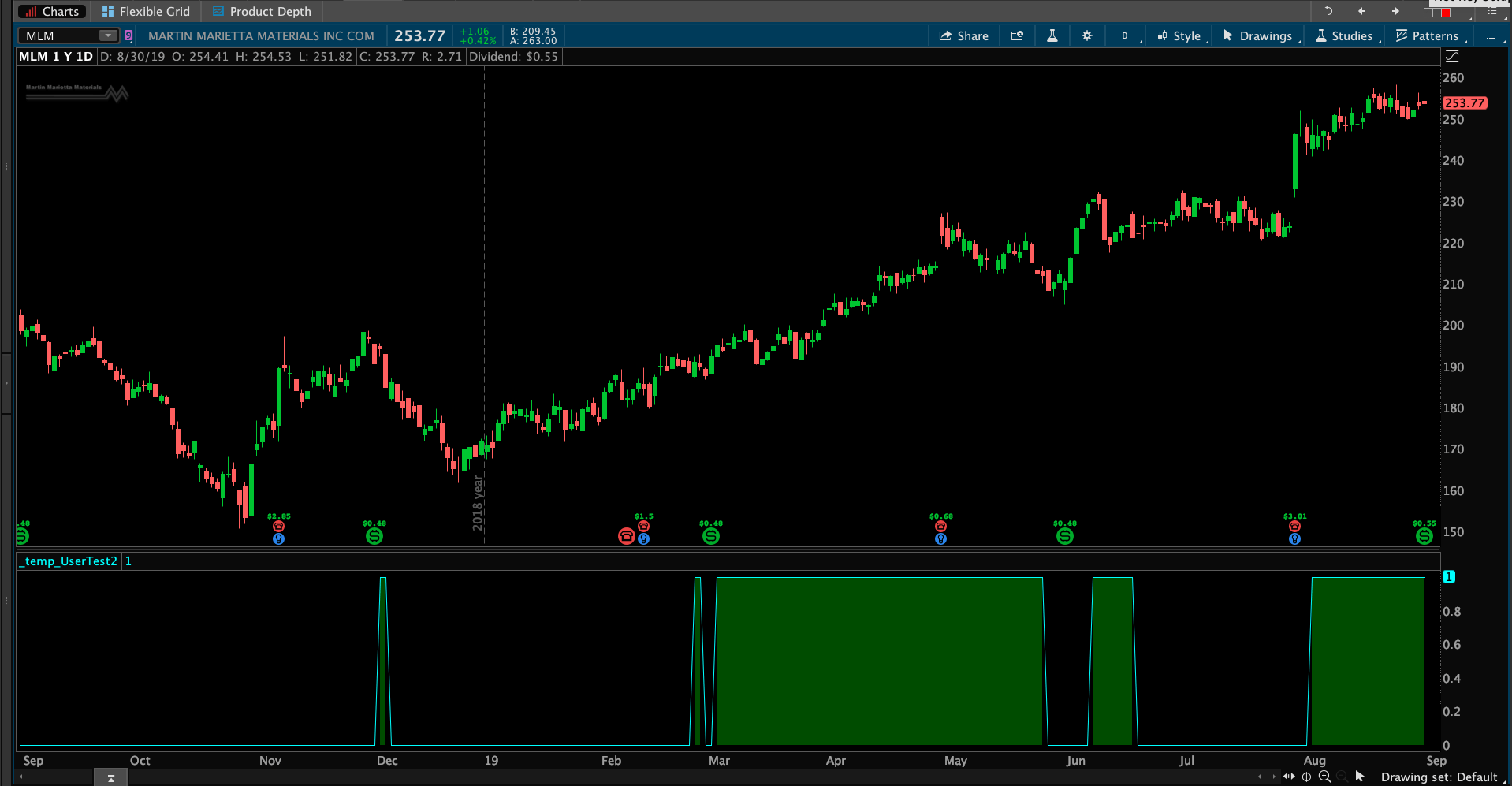
Hi Pete, these are the 3 codes that you have helped to convert from TC to TOS, i would like to learn how to fill the area within the indicator (shown in the pic) when the stock met each criteria. I tried to add cloud to fill the area but it does not work. Pls advise def conditionOne = Average(close, 7) / Average(close, 65) >= 1.05; plot x = conditionOne; # fill Dark Green color ____________________ def conditionOne = Average(close, 7) / Average(close, 65) >= 1.05; def conditionTwo = conditionOne and Average(close, 7)[25] / Average(close, 65)[25] <= 1.05; Plot x = conditionTwo; #fill lime Green color ________________________ def conditionOne = Average(close, 7) / Average(close, 65) <= 0.95; #fill red color Thanks Attachments:
Marked as spam
 Posted by (Questions: 8, Answers: 15) Posted by (Questions: 8, Answers: 15) Asked on August 30, 2019 10:22 pm
162 views
|


 Posted by
