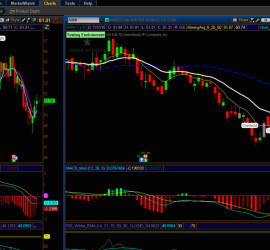


Thinkorswim Tutorials

Blue Left Arrow

Sub Topics in this Category:

  • TOS Charting
  • TOS Scans
  • TOS Strategies
  • TOS Watchlists

This is the top level category for Thinkorswim tutorials. You are encouraged to use the left side-menu to navigate among topics that interest you. (view as desktop for best experience) The left side-menu will help you keep track of where you are, and which content you have already viewed.

Want some help navigating the site? You may want to view our short Introductory Video.

Looking for something specific? Use the search box at the bottom of the left-side navigation menu.

Need help with a solution not yet covered? In addition to tutorials we also provide a Q&A Forum. First of all, be sure to search our Q&A Forum for additional resources. You also have the option to post a new question

Listed below you will find all the videos and articles included in the Thinkorswim category.


Thinkorswim Scan To Strategy 19

Do you know how to convert a custom Scan on Thinkorswim into a custom Strategy? You will not believe how simple it is. This video shows the step-by-step instructions on how to convert custom Scans into custom Strategies. There is also a quick demo of how to convert a Strategy back into a Scan. After watching this video you will be better equipped to take your trading ideas and put them into practical use.

Thinkorswim Scan To Strategy

Thinkorswim Strategy Guide

Thinkorswim Strategy Guide 59

So you have this trading strategy but you have no idea how it performs. Wouldn’t you love to be able to have Thinkorswim automatically test your strategy for you? And wouldn’t it be great if it let you export the trade details so you could analyze them in a spreadsheet? Yeah, it can do that. This video, “Thinkorswim Strategy Guide”, shows you how.


Thinkorswim MTF MACD Indicator 60

Three time frames packed into a single MACD? How is that possible? Check it out and see for yourself. The link to download this free custom indicator is embedded within the video. It’s very important you watch the video all the way through in order to understand what this indicator does, and how to adjust it to fit your needs. It will only work on time based charts. Sorry, tick and range charts are not supported.

Thinkorswim MTF MACD Indicator

Thinkorswim Scan MACD RSI Part Two

Thinkorswim Scan MACD RSI Part Two 36

Based on a viewer’s request, this video takes the original MACD RSI Scan to new territory. Two custom indicators are included. One is linked below, the other is linked within the video. The original code for the MACD RSI Scan is used to create a full featured indicator that plots on the price graph. It has built in alerts, both audible and visual. It has many adjustable parameters for customization.


Thinkorswim Scan TTM Trend 19

Are you using the TTM Trend indicator in your trades? Would you like to build a custom scan based on the TTM Trend? You don’t need access to the source code, this video shows you how. And you don’t even need to know how to write code. Because we provide the custom code for you via the link below.

Thinkorswim Scan TTM Trend

Thinkorswim Scan TTM Squeeze Histogram

Thinkorswim Scan TTM Squeeze Histogram 61

Learn how to build custom stock scans and spend less time reviewing charts. This video shows that you don’t need access to the source code to write a customized scan for a licensed indicator on the Thinkorswim platform. In this video, Thinkorswim Scan TTM Squeeze Histogram, you will learn how to build and run a custom scan. You will receive a free custom scan indicator via clicking the link below. This indicator is actually four different scans built into one. This video shows how to select which of the four scans to run.


Thinkorswim RTD Excel 66

Have you ever wondered how include real time live data from Thinkorswim platform into a spreadsheet? Once you learn this simple technique, you will be able to use your spreadsheet skills to build a fully customized live snapshot of the market in real time.

Thinkorswim RTD Excel