This is a great question and I am glad you posted this. And thanks for including all of the details, that really helps me dive straight into the heart of the issue.
The short answer is:
Those "extra signals" are completely valid. You did everything correctly.
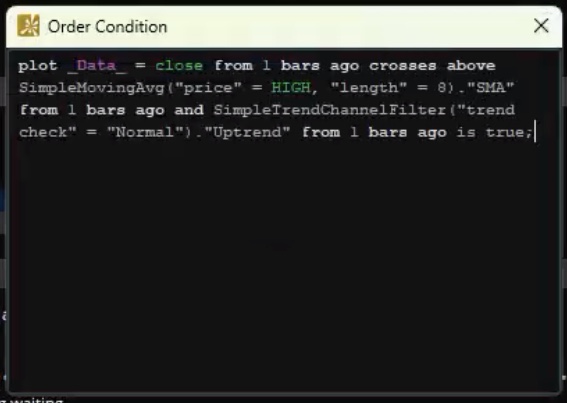
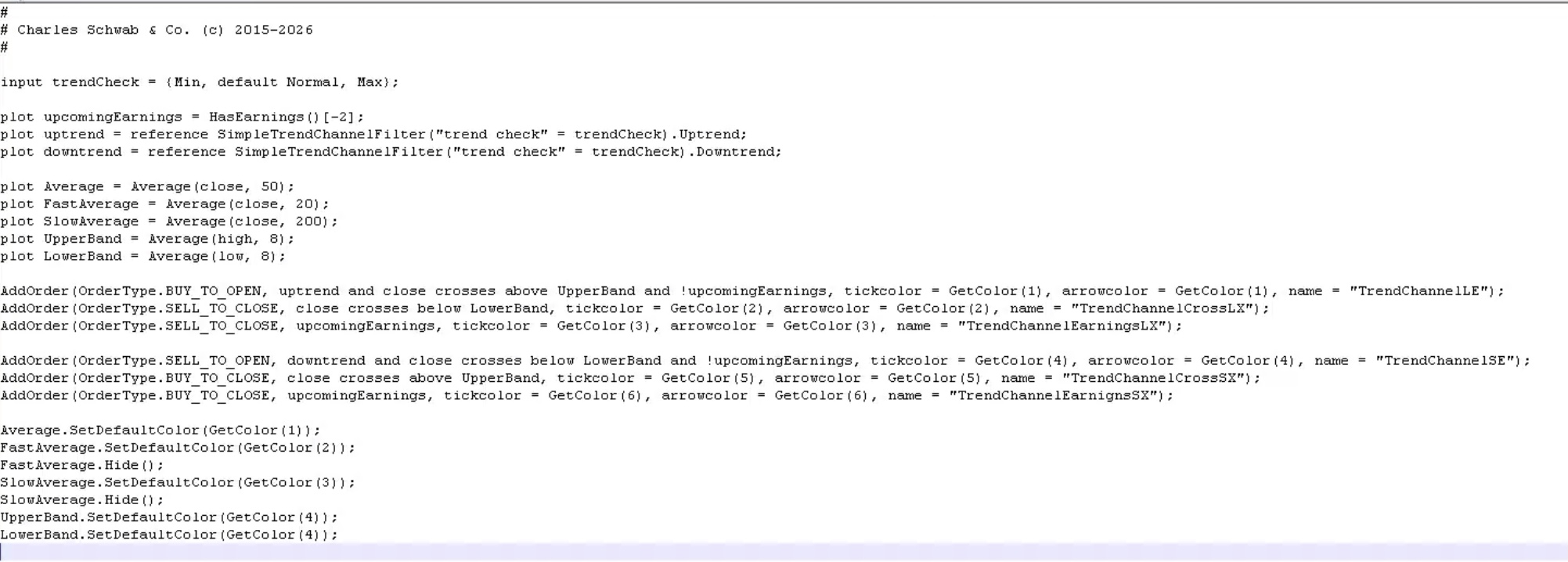
But this creates a problem that cannot be reconciled by the Conditional Order Tools on Thinkorswim. I will explain:
Raw Signals:
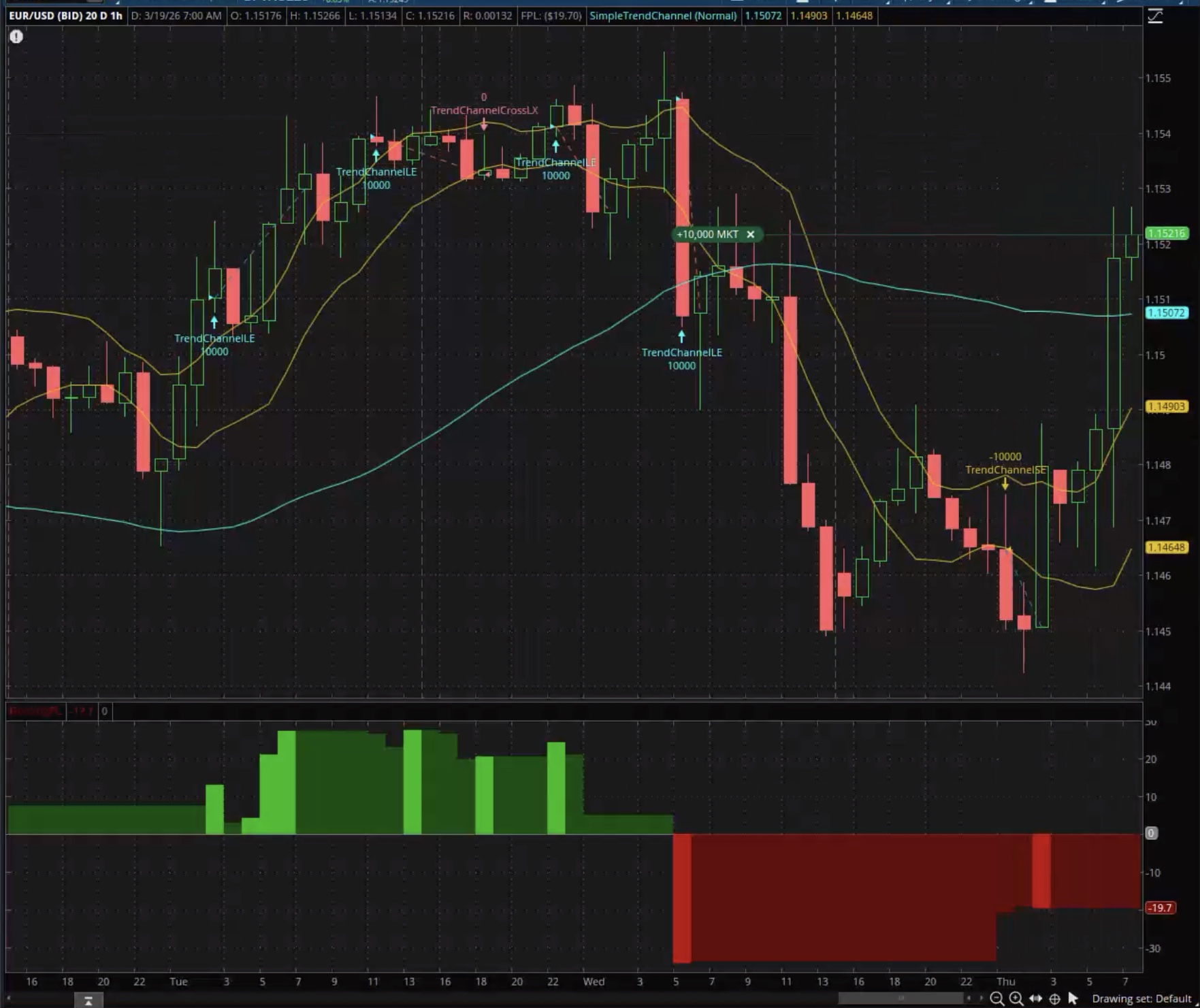
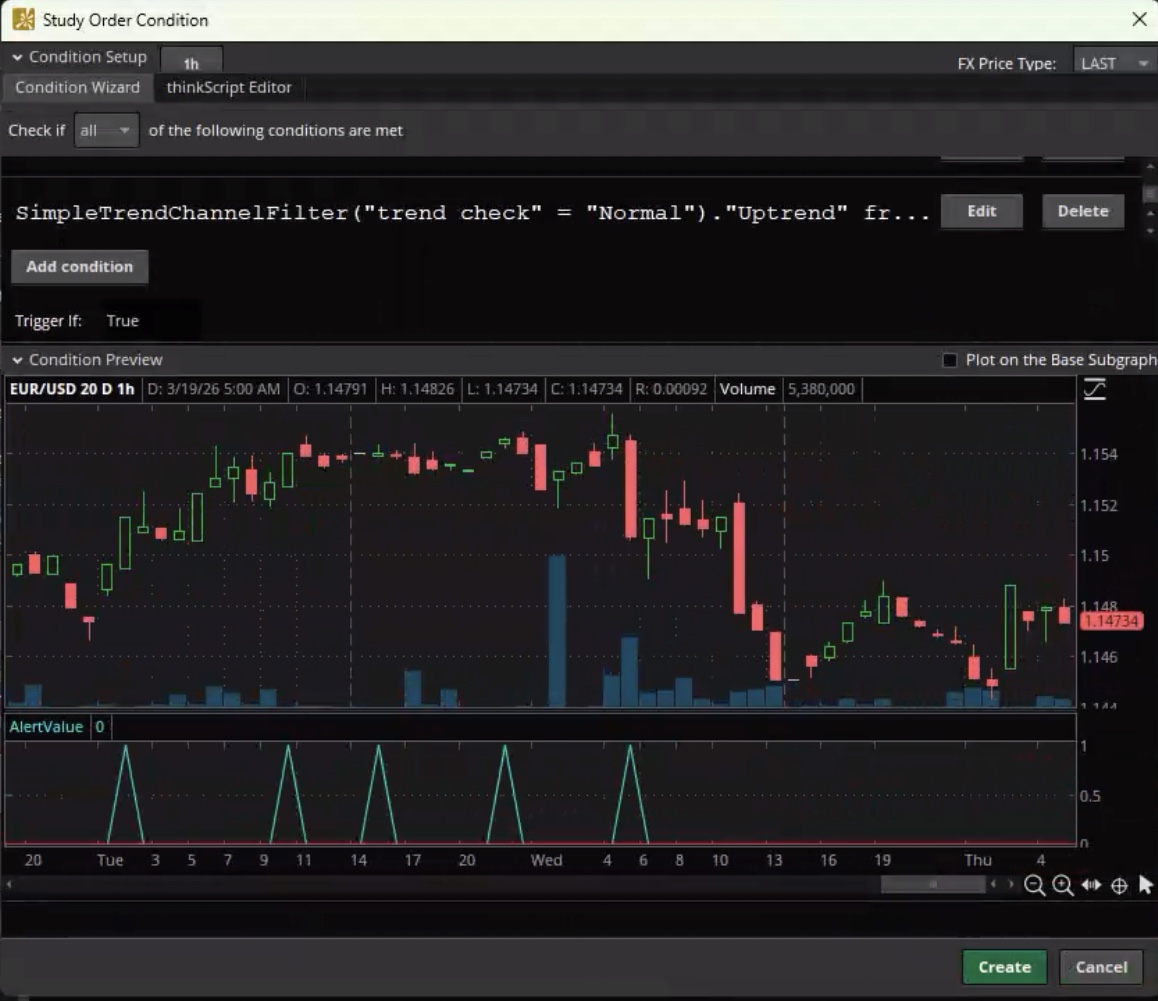
The strategy is generating what I like to refer to as "raw signals". And when you plot those using the spike graph you get to see those extra signals. If you did the same with the exit signals you will find the same issue.
Signal Filtering:
Those "raw signals' are processed by the chart strategy engine on Thinkorswim so that a new entry waits until the position is net flat. And the exit waits until you are in a position before triggering an exit. So there is a filter process taking place on the chart strategy. And that filter process is not accessible to the Conditional Order Tool. Which means your conditional orders will always be triggered by the raw signals, because it lacks the ability to filter the signals.
(**Advanced Topic: you can adjust the settings so the chart strategy generates additional entry signals even while it is still in a position).
Binary Pairs:
Another way of looking at this is to think of each entry and exit as a binary pair. If you use a very basic strategy such as a moving average crossover. Each entry and exit are already established as binary pairs. There are no "extra signals". But many chart strategies generate signals which are not constructed as binary pairs. And those are the ones which produce "extra signals".
Solutions?
This only way to reconcile this is to write a section of code which uses recursive variables to track the state (long, short or flat) directly within the code. Yes, this is feasible, but it can only be done within a chart study. The Conditional Order Tool on Thinkorswim does not support the use of recursive variables.
So we are forced to deal with the extra signals through manual intervention. This is another limitation of the trade automation tools on Thinkorswim. They intentionally place limits on trade automation tools because they don't want their users to run automated trading systems directly on Thinkorswim. It's not as if they forgot something. They intentionally limit the capabilities to avoid a behavior they do not support.
Other Options:
However, there are many other trading platforms that do support this type of trade automation. You might want to do some research and check out TradingView as an option for your trade automatons.
**Advanced topic:
Open the "Global strategy settings". (it's in the bottom left corner of the "Edit Studies" window. Adjust the qty for "Allow up to" and select the option for "regardless of the entry....". Having completed those steps, the chart strategy will be able to use those "extra signals" to add to an open position each time it encounters a new "raw signal".
 Posted by (Questions: 3, Answers: 1)

 Posted by
