

Save Your Flexible Grid Layout for Easy Retrieval
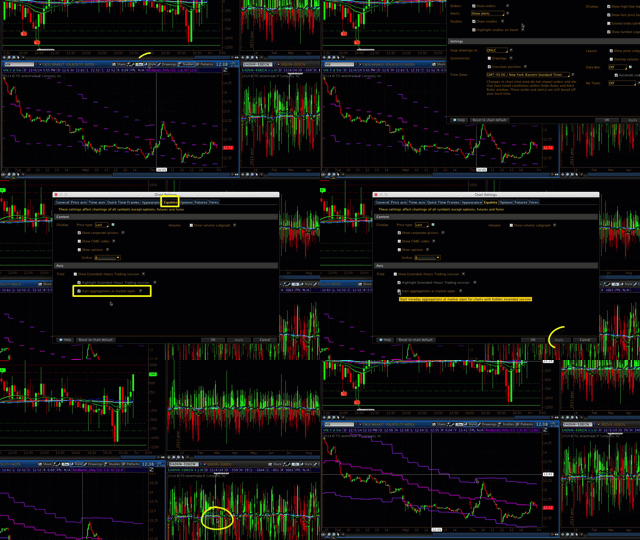
Thinkorswim Saving Flexible Grid Layout
Update 12/9/26: I just published a new updated video which covers this topic.
You can view that updated video by clicking the following link: TOS Mini’s Save Chart Grid Layouts
This is part 2 of this series and builds on the work of part 1. in this video I demonstrate how to configure and save chart layouts in the Flexible Grid screen of the Thinkorswim platform. To save time, I also use the custom style created in part 1 for configuring each chart pane.
Other Videos In This Series:
In part 1 I teach how to configure and save chart settings. I also demonstrate how to save chart settings as a custom style. You will learn how to apply custom styles to quickly configure additional charts as well as how to customize and save the chart grid layout.
In part 3 I demonstrate how to create duplicate windows in the Thinkorswim platform. I then show how to assign those windows to display each of your saved custom chart layouts. After this, you will then how to distribute them across four separate monitors. In the final steps, I show you how to save that as a workspace layout. This workspace remembers where each window is placed. Once saved you can select a workspace to reloaded at any time. If you have saved multiple workspace you will be able to quickly switch between them.
This video references another tutorial which demonstrates how to use a custom study to display the name of each saved chart layout. The custom study is provided free of charge. You can watch that tutorial video here: Thinkorswim Display Name of Saved Chart
DISCLAIMER: I AM NOT A CERTIFIED FINANCIAL ADVISOR AND NOTHING IN THIS VIDEO OR TEXT IS AN ADVERTISEMENT OR RECOMMENDATION TO BUY OR SELL ANY FINANCIAL INSTRUMENT. NOR IS THIS VIDEO OR TEXT INTENDED TO INSTRUCT YOU ON HOW TO MAKE BUY OR SELL DECISIONS USING ANY OF THESE INDICATORS.
*Thinkorswim is a chart analysis platform offered by Charles Schwab: https://www.schwab.com/
Charles Schwab provides financial services including the trading of Stocks, Futures, Options and Forex.
Please be sure to share this page with your friends and colleagues. Leaving comments below is the best way to help make the content of this site even better.